


- Published: April 28, 2024
- Updated: January 2, 2026
In this article, you’ll learn:
A sales rep is on a call with a high-intent prospect. The client asks, “Can you send me that healthcare case study?” The rep promises to follow up after the call—then spends the next 40 minutes digging through folders like “Q2_Final” and “DO_NOT_DELETE.” The file exists somewhere, but the momentum is gone.
That’s what sales content chaos looks like—and it’s exactly why many teams invest in a sales content management system: to keep sales collateral searchable, approved, and easy to share. When your deal depends on one slide, one proof point, or one pricing detail, “I’ll send it later” is rarely a harmless delay.
Sales content management software fixes the root issue by making sales materials searchable, up to date, and easy to share—so reps can answer “Can you send me…?” in minutes, not hours.
What is Sales Content Management?
Sales Content Management covers every piece of content your sales team uses to move a deal forward: decks, one-pagers, case studies, pricing sheets, demo videos, security docs, proposals, battlecards, and templates. But SCM is content with rules—and those rules exist for one reason: trust.
And it’s expensive. A HubSpot post reports that reps can spend 31% of their time searching for or creating content instead of selling. And a Prialto post, citing a sales/marketing survey, notes that content search and utilization are major productivity problems for most teams.
Sales collateral is the backbone of most sales motions. It shapes how prospects understand your product, how confident they feel in your claims, and whether they believe you can deliver. If the collateral is hard to find, outdated, or inconsistent, even a great rep ends up fighting their own library.
In a good SCM setup, reps don’t guess which version is correct. They don’t DM marketing for “the latest deck.” They don’t “borrow” a slide from a random old presentation because they’re in a rush. Content becomes something people can trust—because it has an owner, a status (“approved” vs. “draft”), and a predictable way to be found.
In other words, it’s content management for sales teams—built for speed, version control, and real deal workflows.
SCM vs CMS vs DAM vs Sales Enablement Platforms
A CMS is a content management system built for publishing website content. It’s great for blogs and landing pages, but it’s not designed for a rep who needs the right PDF mid-call.
A DAM is built to manage digital assets with robust metadata, permissions, and search capabilities. Many teams use DAM as the “source of truth” not only for visuals but also for documents—especially when sales content lives alongside brand assets and creative files. Slideshows and other visual aids used by sales reps during meetings with prospects to explain features, benefits, and value propositions. And to enhance these materials even further, PowerPoint AI can help teams quickly generate polished, on-brand presentations that make complex ideas easier for prospects to understand.
A sales enablement platform often goes further: it’s designed to support the sales motion itself, with in-CRM access to CRM software, usage tracking, sometimes coaching/playbooks, and guided selling features.
The simplest framing: SCM is the outcome. You can reach it via a sales enablement suite, a DAM with strong document workflows, or a hybrid—depending on your sales process and content production.
Why Sales Teams Need Content Management
When sales reps spend that much time searching, it slows the sales process and turns sales enablement content into a bottleneck instead of a boost. A rep can’t quickly share proof, so the prospect cools off. Someone sends an older pricing sheet, so trust takes a hit. A new rep uses random outdated materials because they don’t know what’s “approved.” Meanwhile, marketing keeps producing content—only to watch half of it disappear into someone’s personal Drive.
This gets even more painful in modern, distributed teams. More of the sales journey happens asynchronously: prospects do research first, calls happen over Zoom, and follow-ups need to be fast and precise. When buyers are already deep into evaluation, they expect relevant materials and clear answers on the spot. SCM makes that possible by keeping the best, most current content one search away—no matter where the rep is working from.
The goal of SCM isn’t to make content “look organized”—it’s to make content usable: easy to retrieve under pressure, consistent across the team, and measurable enough to show what’s working.
Key Features to Look for in Sales Content Management Software
Most platforms list dozens of features. The best sales content management tools don’t win on features—they win on adoption.
Here’s the minimum “must work in real life” checklist:
- A single source of truth (one place where reps trust the content is current)
- Search that feels obvious: The ability to quickly find content using keywords and easy-to-use filters, such as industry, buyer persona, deal stage, or product line, so reps can get answers without digging through folders.
- Metadata and governance: Features that allow tagging content with owner names, review dates, and status labels like “approved,” “draft,” or “archived,” so everyone knows which assets to use and when updates are needed.
- Version control (so old pricing and old claims don’t leak to prospects)
- Secure sharing (clean client links, expiry, access controls when needed)
- User permissions (so sensitive content like pricing, legal, or security docs is shared intentionally—not accidentally)
- Actionable analytics: Reports showing which content gets used, which gets ignored, and what reps search for but can’t find. That gives you clear content usage trends, highlights gaps, and helps you prioritize updates.
- Integrations (CRM/email/chat, so reps don’t live in yet another tab)
If you can’t find a “healthcare case study” in 20–30 seconds during a demo, the platform will struggle in the real world.
What Belongs in a Sales Content Library
Think of your library as “everything you’d want a rep to have at their fingertips” when a prospect asks a serious question. The exact mix depends on your business, but most teams end up with a predictable core: proof (case studies), narrative (decks/one-pagers), commercial detail (pricing/packaging), trust blockers (security/legal docs), and the practical stuff reps reuse every day (templates, talk tracks, competitive notes).
A helpful rule: if reps keep asking for it in Slack, it belongs in the library—properly tagged, approved, and easy to share.
One more practical lens: if an asset helps a rep do any of these three things, it belongs in SCM:
- explain value clearly (decks, one-pagers, demos)
- build trust fast (case studies, testimonials, security docs)
- move the deal forward (pricing, proposals, objection handling)
How to Choose the Right SCM Platform
The right sales content management solution is the one your team uses daily—because search is fast, versions are controlled, and sharing is painless.
Feature pages won’t tell you the truth. Demos will—if you test the right things. During evaluation, ask “how fast can my rep do X when they’re under pressure?” Bring 10 real queries your team uses (pricing, security deck, a specific vertical case study, competitor notes) and watch what happens.
Also, look at governance early. If your platform can’t cleanly separate “draft” from “approved,” or if archiving old pricing is painful, you’ll recreate the same chaos—just in a prettier interface.
Finally, be honest about fit. If you need coaching, playbooks, and guided selling, you might want a full enablement suite. If your content is heavy on visuals and documents, and you care about metadata, permissions, and a clean sharing experience, a DAM-first setup may be a better fit.
A Simple ROI Model you Can Use
Some platforms also support direct revenue attribution (connecting content usage to pipeline), but even without that, time saved and fewer version mistakes usually justify the setup.
The fastest ROI is time saved. If reps self-serve instead of hunting, you’ll see it fast. Estimate how many hours per week each rep currently loses to searching, recreating, or asking others for content. Multiply by your rep count and by a realistic, fully loaded hourly cost. That gives you a baseline value that’s easy to understand and defend internally.
Then add the “soft” wins that are harder to price but very real: fewer version mistakes, faster follow-ups, smoother onboarding, and less content waste.
Implementation Plan
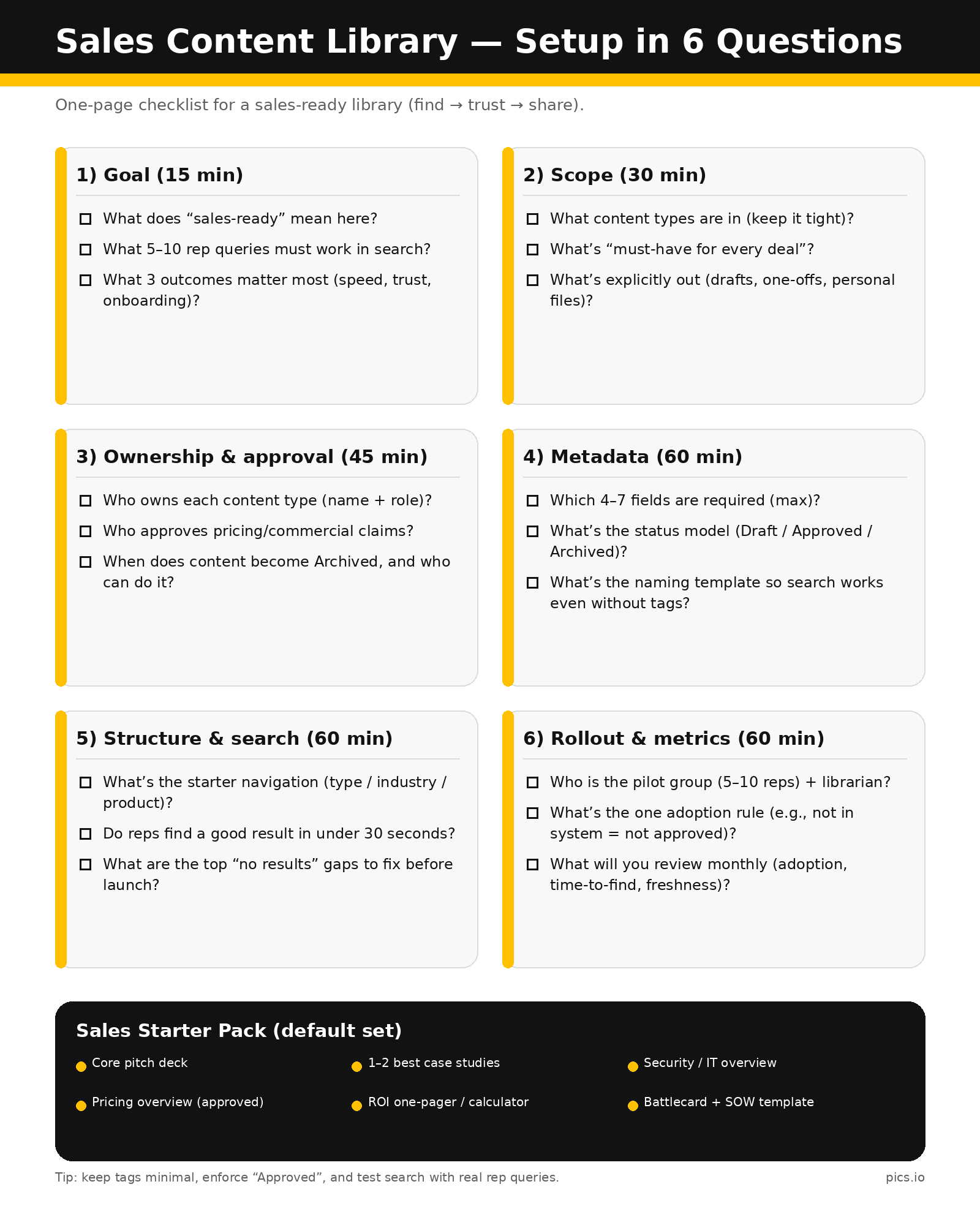
Implementation usually fails for one reason: teams try to migrate everything at once. The better approach is to launch a “sales-ready core” fast, then expand.
In the first month, focus on content governance: metadata rules, ownership, and what “approved” actually means.
In the second month, upload and tag the assets reps use weekly, then make sure sharing and versioning are simple enough that people actually follow them.
In the third month, layer in integrations (CRM/email/chat) and use analytics to fix gaps—especially common searches that return weak results.
The success signal is “reps stopped asking for the latest deck.”
One more thing that makes or breaks adoption: training. Even the best system fails if reps don’t know what “approved” means, where to look first, and how to share safely. Keep training simple and practical: “find → trust → share.” Then reinforce it with one rule your team can remember (for example: if it’s not in the system, it’s not approved).
Sales collateral audit (the fastest way to stop the chaos)
Before you move anything into a new system, do a quick sales collateral audit. This is where most teams win back time immediately—because they stop dragging outdated, duplicated, and “almost-right” files into a new library.
Start by pulling everything your reps actively use today (not everything that exists). Then sort it into three buckets: keep, update, and archive. If you find five versions of the same deck, pick one “approved” baseline and retire the rest. If pricing or positioning has changed, treat those files as high-risk: either update them now or remove them from rep access until they’re reviewed.
A simple rule helps: if an asset hasn’t been used in the last 90 days and no one can name a clear owner, it’s probably not helping deals. Archive it and keep your library lean. Your goal isn’t to preserve history—it’s to make the next follow-up fast, clean, and confident.
To keep this from turning into a one-time cleanup, set a lightweight review cadence: the few assets that can hurt you most if they’re outdated (pricing, security, legal, core pitch) should have a clear owner and a “last reviewed” date. That’s how a library stays trustworthy over time.
Real Use Case: WebMechanix
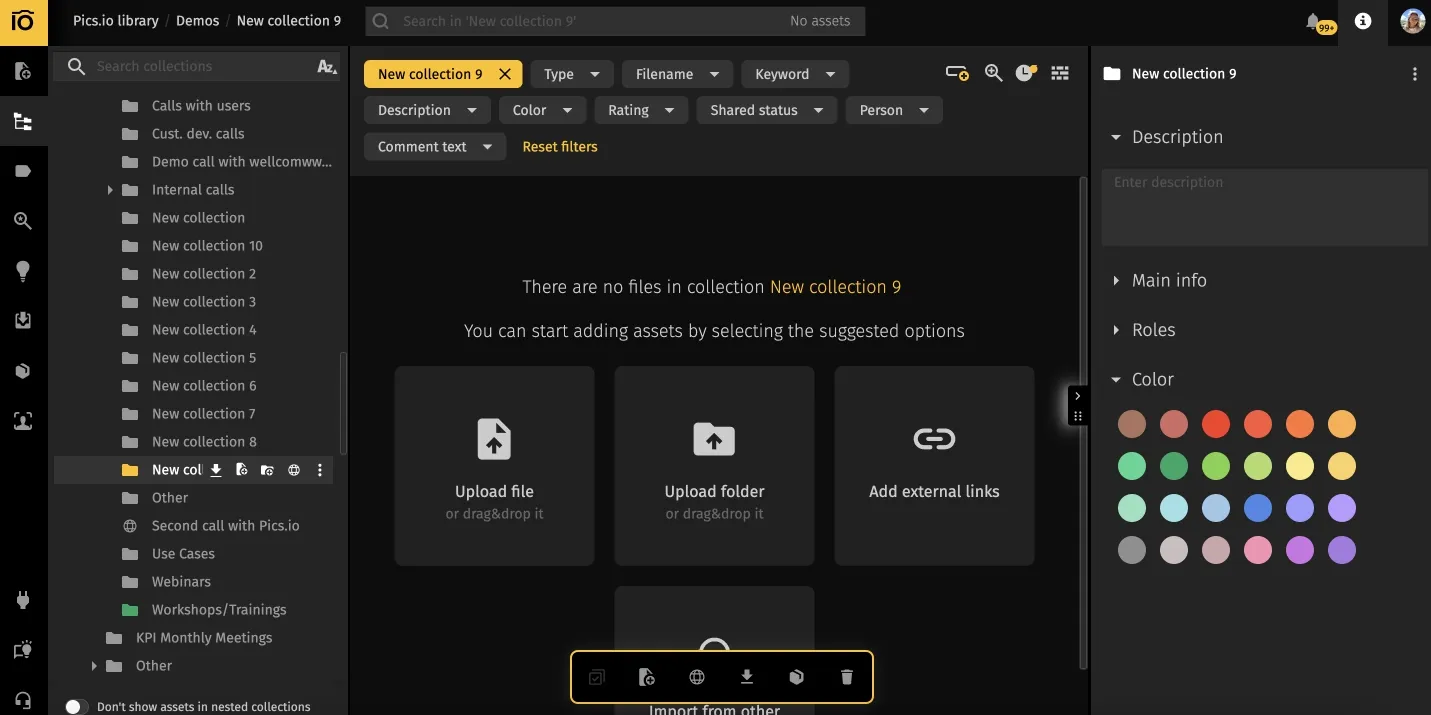
WebMechanix, a 75-person performance marketing agency, used to track files across different places (including tools like Google Drive and Slack). They publish collections as websites the team can reuse in sales presentations and follow-ups. Over time, that made it harder to keep everyone aligned and quickly find the right asset when someone needed it.
After consolidating their library in Pics.io, they estimated saving at least 2 hours per week and up to 4 or 5 hours during busy periods.
What’s especially relevant to sales content management is how they use “websites” as a sales materials tool. They compile selected work into a collection, publish it as a website, and share it with the sales team—so reps have an organized repository they can browse and reuse without pulling creative people into “can you send me…” requests.
Metrics That Actually Matter
If you track too much, you’ll track nothing. Start with a handful you can review monthly:
- Time-to-find for common assets (can reps locate key items quickly?)
- Adoption (% of reps active weekly)
- Content freshness (% of key assets reviewed in the last 90 days)
- Top used vs. never used assets (signal of what to update, cut, or promote)
- Search “no results” terms (content gaps you can fix)
FAQ
Is Google Drive/SharePoint enough?
For very small teams with simple needs, sometimes. But once you have multiple segments, versions, and people producing content, you’ll feel the pain in search, governance, and “single source of truth.”
Is SCM the same as sales enablement?
SCM is a core part of enablement. Enablement is broader (training, coaching, playbooks, onboarding). SCM is how content stays usable, current, and measurable.
What is a sales content management system?
A sales content management system (SCMS) is software that helps sales and revenue teams store, organize, and deliver approved sales content—like decks, case studies, pricing sheets, and templates—so reps can find the right asset fast, share it securely, and avoid sending outdated versions. Most systems also support version control, permissions, and content analytics to show what gets used and where reps get stuck.
Do we need AI?
Not required. Great metadata + good search solves most problems. AI can help with tagging, better search, and suggestions—but governance still matters.
Wrap Up
Sales content only pays off when reps can find it fast, trust it, and share it cleanly. A strong sales content management setup reduces time wasted searching, prevents version mistakes, and turns your content library into something the team actually uses—every day.
If you’re evaluating a sales content management platform, start with the basics: approved content, fast search, and simple sharing.
Want to organize your sales content library without rebuilding everything from scratch? Explore how Pics.io can centralize sales materials alongside brand assets—then book a short demo to see how it fits your workflow.
Did you enjoy this article? Give Pics.io a try — or book a demo with us, and we'll be happy to answer any of your questions.
Author

Vladimir Mikheev is a DAM consultant and regular contributor to the Pics.io blog. Since 2019, he’s helped 400+ organizations implement digital asset management and streamline workflows—running 900+ demos and helping sales, marketing, and product teams align on shared processes.


