


In this article, you’ll learn:
You know the file exists. You just can't remember what it's called, or which tag someone gave it. Natural language search is built for exactly that moment. This guide explains what it means, shows examples you've probably already used, walks through how it works, and compares it with keyword, Boolean and semantic search.
What It Means in Plain English
Natural language search lets people type a request the way they'd say it, and the system figures out what they mean. You don't need exact keywords, special operators or a particular word order. In short, a natural language search is any search you can write as a normal sentence.
So what does natural language search mean in practice? It means the search box adapts to you. For decades it worked the other way around: people adapted to machines. We learned to type keywords instead of sentences, to add quotation marks and operators, and to guess the exact words a page or a file happened to use. Natural language search flips that.
Take an online shop. A shopper who wants boots for a snowy commute used to type "boots waterproof" and hopes the shop used the same words. Now, the same shopper types "warm waterproof boots for winter" and gets what they meant.
Natural Language Search Examples
You've probably used it already, even without the name.
In everyday life. Ask a voice assistant "what's the weather like in Lisbon this weekend?" Type a full question into a web search instead of three keywords. Tell an online shop you want "warm waterproof boots for winter" instead of picking categories and filters one by one.
At work. A knowledge base can answer "how do I reset a customer's password?" A CRM can show "deals closing this month over $10k". An analytics tool can return "sales by region last quarter" without anyone writing a query.
When searching for files. In a tool that stores images, videos and documents, you can ask for "PDFs updated this week" or "flagged videos from Friday" instead of setting the file type, the flag and the date as separate filters.
| Situation | How people searched before | How people search now |
|---|---|---|
| Online shop | boots waterproof | warm waterproof boots for winter |
| Analytics | Pick a region, a metric and a date range from menus | sales by region last quarter |
| Files | Set three filters: file type, flag and date | flagged videos from Friday |
How Natural Language Search Works
The details differ from product to product, but the idea is the same: read the phrase, work out what it asks for, then fetch matching results. Reading the phrase relies on natural language processing (NLP), the field of AI that teaches software to interpret human language. That's why some people call this natural language processing search. A natural language search engine is simply a search system built this way. Here's how it goes, step by step, and the two ways systems turn your phrase into results.
Understanding What You Mean
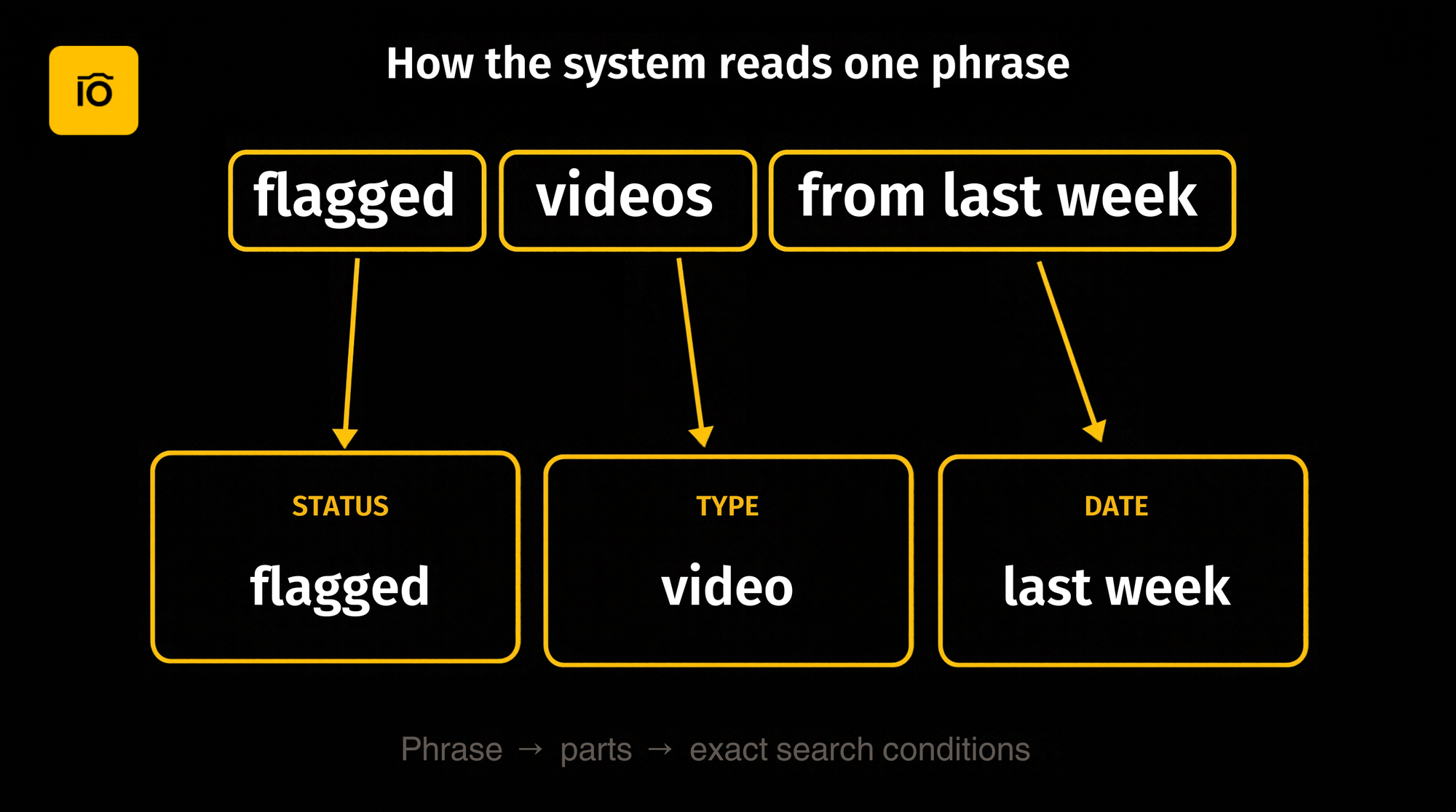
First, the system breaks your phrase into parts: what you're looking for, which conditions apply, and any limits such as time. Take "flagged videos from last week". Videos is what you're after, flagged is a condition, and last week is a time limit. The system doesn't need perfect grammar. It needs to work out your search intent.
Turning Words into Filters
Some systems translate the phrase into exact search conditions: dates, sizes, statuses, fields. "Flagged videos from this week" becomes a status, a file type and a date range. That's structured search with a friendlier front door. The upside is accuracy and predictability: the conditions are explicit, so results are easier to trust and to repeat. It also means search filters you already have, like the ones in an advanced search panel, become available to everyone, not just the people who learned them.
Matching by Meaning
Other systems search by meaning, which is what semantic search does. They look for similar concepts, synonyms and even what's shown in an image. The upside is that they can find things nobody labeled. The trade-off is that results can be less exact and harder to explain. Many tools combine both approaches, so one phrase can trigger exact filters and a search by meaning at the same time.
Natural Language Search vs Keyword Search vs Boolean Search
These are different tools for different jobs, not a ladder where the newest one always wins.
| Keyword search | Boolean search | Natural language search | |
|---|---|---|---|
| How you ask | Type exact words | Combine words with operators: AND, OR, NOT | Type a normal phrase |
| What you need to know | The words used in the file's name, tags or text | The operators and the search syntax | Almost nothing: say what you want |
| Precision | High if you guess the right word; misses synonyms | Very high when the query is built well | Depends on how the system reads the phrase |
| Learning curve | Low | Steep | Minimal |
| Best for | Quick lookups when you know the exact term | Power users who want full control | Teams who want results without training |
Keyword search matches the words you type with the words in a file's name, tags or text. It's fast when you know the exact term, and it breaks when the file is called IMG_4021 and nobody tagged it.
Boolean search adds operators such as AND, OR and NOT to combine terms precisely. Boolean operators are powerful, but they come with search syntax to learn, so in most teams only a few people use them.
It accepts an ordinary phrase, so the barrier to entry is close to zero. Boolean search vs natural language search is mostly a trade between control and convenience: Boolean gives you every lever, while natural language helps more people reach a useful result without training.
None of them is obsolete. Power users still reach for Boolean when they want full control, and a quick keyword search is hard to beat when you know the exact word.
Natural Language Search vs Semantic Search
People often use the two terms as if they meant the same thing. They don't.
- Natural language is about how a person phrases the request.
- Semantic is about how the system searches: by meaning rather than by exact words.
That's why one system can accept a plain-language request and still search by exact filters, while another takes the same request and searches by meaning. For an example of search by what's shown in an image, see AI Visual Search.
Where It's Used
- Online stores. Shoppers describe what they want, such as "a red dress for a summer wedding", instead of working through category menus.
- Knowledge bases and support. Employees and customers ask a question and land on the right article.
- Analytics and BI. Business users ask for numbers in plain words, like "sales by region last quarter", without writing a query.
- Legal and research. Lawyers and researchers describe a topic or a case and search large document collections for it.
- Digital asset management. Teams find images, videos and documents by describing their status, date or size. More on that next.
How Teams Use It to Find Files
Most digital asset management search is powerful on paper. You can search by metadata: status, date, size, rating and more. The catch is that few people use it. It means assembling filters by hand and remembering what every field is called, so most people type a keyword, give up, and ask the person who runs the library. If you manage a DAM, you know how that goes: you become the search engine.
Plain-language search changes that. Instead of building filters, anyone on the team describes the file by status, date, size, rating or their own fields, and finds files faster without any training. It turns metadata search from an expert skill into an everyday habit.
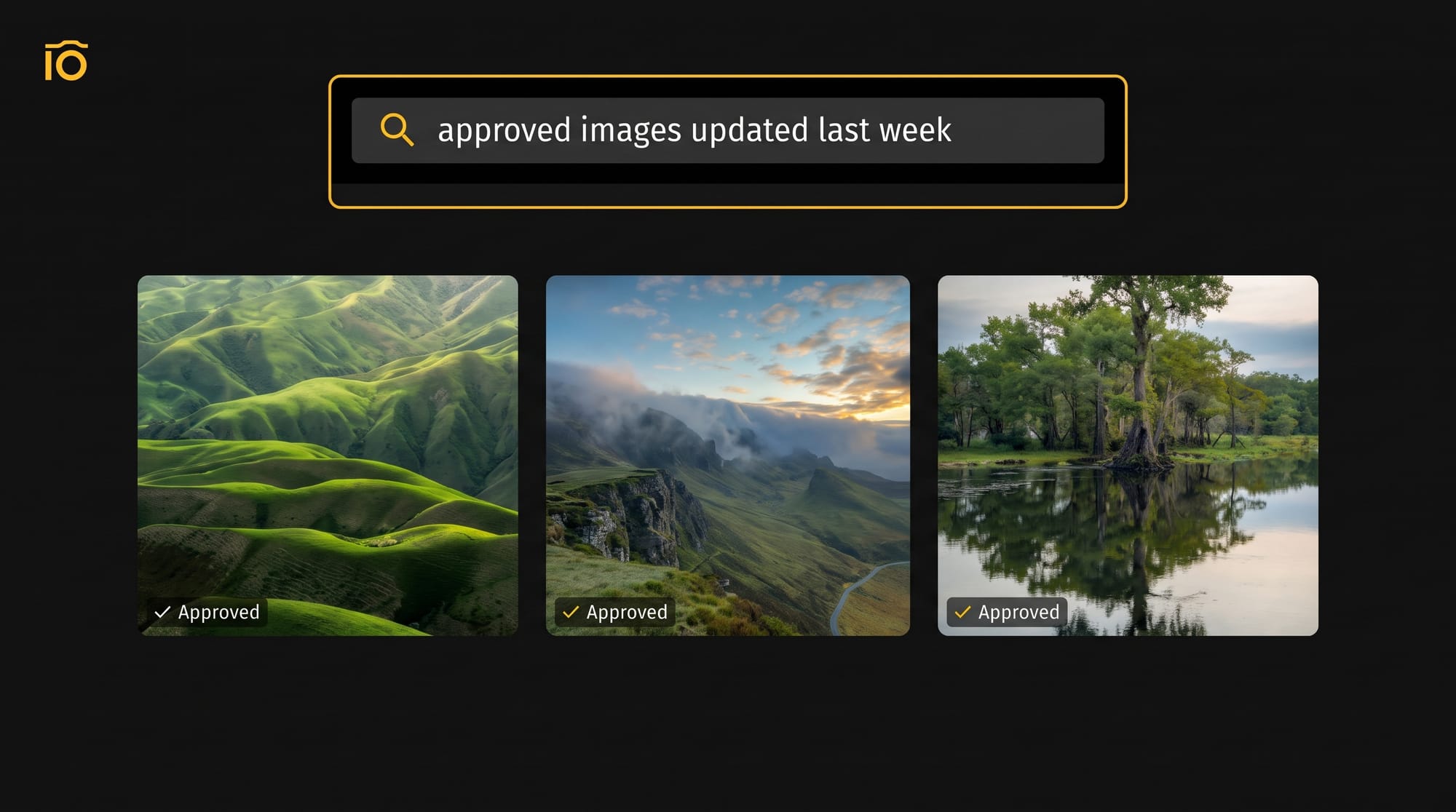
Picture a marketing manager on Monday morning. The launch is on Thursday. She needs the approved images, the files that were updated last week, and nothing marked with the blue color label her team uses for the other campaign. With filters, that's three searches and a lot of clicking. With plain language queries, she types what she'd say to a colleague.
That's how it works in Pics.io. In the main search bar she can type "approved images", "files updated last week" or "anything except blue", and Natural Language Search in Pics.io turns each request into the matching Advanced Search filters. It searches by metadata and filters: status, dates, size, duration, rating, color labels, comments and your own custom fields. Queries are in English, and the old search syntax keeps working. Read more: Natural Language Search in Pics.io.
Limitations to Keep in Mind
This type of search is a big step forward, but it isn't magic. Three limits are worth knowing:
- Results depend on your metadata. If a field is empty, you can't find files by it, however well you phrase the request. A system that turns phrases into filters can only filter on information that exists.
- Vague requests are harder. "Recent good photos" leaves the system guessing what "recent" and "good" mean. "Photos rated above 3 from last month" doesn't.
- Languages vary. Not every system understands every language equally well, so check which languages your tool supports before you roll it out.
The fix for all three is the same: keep your data tidy and ask for specific things.
Tips for Writing Better Queries
- Name specific conditions. Date, type and status beat general words. "Videos from last month" works better than "some older clips".
- Use your team's own words. If your team marks files "approved", say approved, not "good to go".
- Combine two or three conditions. "Red-labeled videos from last week" narrows results better than a single word.
- Keep your metadata in order. Fill in statuses, ratings and custom fields consistently, because search can only use what exists.
- Start simple, then add. If you get too many results, add one more condition and search again.
For more ideas, see our guide to searching for files by metadata.
Final Thoughts
Natural language search takes down the wall between people and their data. You describe what you need, and the system does the translating. For a team that loses hours looking for files, that's one less thing to learn and one less person to ask. To see how it works on a real media library, take a look at Natural Language Search in Pics.io.
Frequently asked questions
Can I search data using natural language?
Yes, in many tools. Search engines, online shops, knowledge bases, analytics tools and digital asset management systems now let you type a request in plain language instead of building a query. What you can ask for depends on the data behind the tool: it can only filter or match on information that exists.
What is a natural language search engine?
It’s a search system built to read ordinary phrases instead of exact keywords. It works out what you're asking for, then returns matching results, usually with the help of natural language processing.
Does natural language search depend on metadata?
It depends on how the system searches. A system that turns your phrase into filters needs good metadata, because it can only filter on fields that are filled in. A system that matches by meaning can also work from what's inside the content, but even then, clean metadata makes results sharper.
Is natural language search the same as AI search?
No, though they overlap. The first describes how you phrase a request, while the second is a broader label for search that uses machine learning, for example to interpret meaning or analyze images. A simple rule-based parser can read common phrases without any machine learning, and an AI-powered search can still expect keywords.
Do I need AI to use natural language search?
You don't need to know anything about AI to use it: you just type a request. Behind the scenes, the tool may use rules, machine learning or both to read your phrase, but that's the tool's job, not yours.
Did you enjoy this article? Give Pics.io a try — or book a demo with us, and we'll be happy to answer any of your questions.


