


- Published: Nov 26, 2023
- Last updated: Dec 30, 2025
In this article, you’ll learn:
Your team ships a new batch of product photos, someone drops them into Google Drive. A week later, marketing grabs the wrong logo, an agency asks for “the approved version,” and you’re not sure which one that is. IT gets another request to increase storage. Again.
If that feels familiar, the issue usually is asset management. For many marketing teams and creative teams, the real challenge isn’t more secure storage — it’s managing digital assets so the right approved assets are easy to find and safe to share.
Cloud Digital Asset Management (Cloud DAM) helps teams organize, find, control, and distribute brand assets at scale — adding metadata, permissions, approvals, and versioning beyond what folders provide.
This guide explains what Cloud DAM is, how it differs from cloud storage, and when you actually need it.
Cloud DAM vs Cloud Storage
Cloud digital asset management is both a business process and digital asset management software: it gives you a searchable asset library (a centralized repository for digital assets) plus workflows for review, access, and distribution.
| Feature | Cloud Storage (Google Drive, Dropbox, Box) | Cloud DAM |
|---|---|---|
| Primary purpose | Store and share files | Manage brand and media assets for reuse and distribution |
| Search | Filenames + basic text | Metadata-driven search, filters, advanced search; often AI-assisted tagging/search |
| Organization | Folders + naming conventions | Metadata schema, taxonomy, collections, smart filters |
| Versions | Manual naming or limited history | Clear versions + “approved/current” states, rollback, comparisons |
| Permissions | Mostly folder/link based | Role-based access, asset-level controls, safer external sharing |
| Reviews & approvals | Outside the tool (email/Slack) | Comments, statuses, approval workflows |
| Rights management | Not built-in | Track licenses, expiry reminders (varies by vendor) |
| Reporting | Minimal | Usage insights and audit trails (varies by vendor) |
Takeaway: storage helps you keep files, while a DAM helps you run a content operation.
For some teams, the decision comes down to storage locations: Printful wanted to keep originals in Google Drive while adding metadata and review workflows on top — without moving hundreds of thousands of files. That’s what a digital asset management system is built for: distributing digital files across digital channels while keeping up-to-date assets easy to trust.
What Is Cloud DAM?
Cloud DAM is a type of digital asset management that helps organizations store and organize digital assets (images, videos, audio files, design files, and other media assets) in one searchable library.
“Cloud” means the platform is hosted by the provider (or connected to your existing cloud storage) and accessed via browser or app. Infrastructure work, such as maintenance, updates, and backups, is handled by the provider.
“DAM” means it’s built for real content workflows. Where storage tools focus on keeping files and sharing links, a DAM focuses on keeping assets usable: searchable beyond filenames, clearly versioned, approved, permissioned, and ready to distribute to websites, campaigns, partners, and marketplaces.
Signs You’ve Outgrown Google Drive
Google Drive starts to break when the question becomes “which one is the right one?” The files exist, but they aren’t dependable. And when digital asset storage is spread across multiple storage locations, brand consistency and brand guidelines are harder to enforce — especially with external users.
One nonprofit team described the breaking point simply: the footage existed, but it wasn’t usable. Clips were scattered across hard drives and Google Drive, so a single request from social media could trigger a multi-day scavenger hunt. Once they centralized the library and added structure (roles + search), finding a specific video went from “a couple of days” to “a few minutes.”
Cloud DAM vs On-Prem DAM: When to Choose Which
When comparing cloud DAM systems with an on-premises DAM system, it usually comes down to speed vs control. Cloud-based DAM systems reduce infrastructure work and make collaboration easier across teams, while on-prem can fit strict requirements when you need tighter control.
On-prem can still make sense for organizations with strict infrastructure requirements, specific compliance constraints, or a need for tight control over where data lives — especially when they already have strong internal IT capacity.
Security isn’t better in the cloud or on-prem by default. What matters are controls, auditability, encryption, and consistent enforcement.
What to Look For in a Cloud DAM
Most teams fail because the system doesn’t consistently support the basics: search that works in real life, clear “current vs outdated,” safe external sharing, and a simple way to keep assets approved.
When evaluating platforms, pay attention to how metadata is handled (especially bulk editing), whether versioning feels obvious (not buried), how permissions work across roles, and how approvals fit into your normal workflow. Integrations matter too — not because “more integrations” is always better, but because your team won’t change every tool just to make a DAM work. In scenarios where standard plugins are insufficient, custom azure cloud application development can facilitate the necessary connections without disrupting existing operations.
A simple rule: look for key features that support effective digital asset management — version control, access control, clear user permissions, and workflow automation that keeps reviews moving.
Rights and “safe-to-use” assets sound boring until they break something publicly. Keyes Company ran into constant confusion: agents grabbed visuals from random sources without knowing whether they had the rights to use them. Their fix was a curated set of approved assets plus search and tagging, so people could self-serve without relying on a small marketing team to police every file. That kind of structure improves resource allocation and cuts time spent searching, because teams can self-serve the right marketing materials.
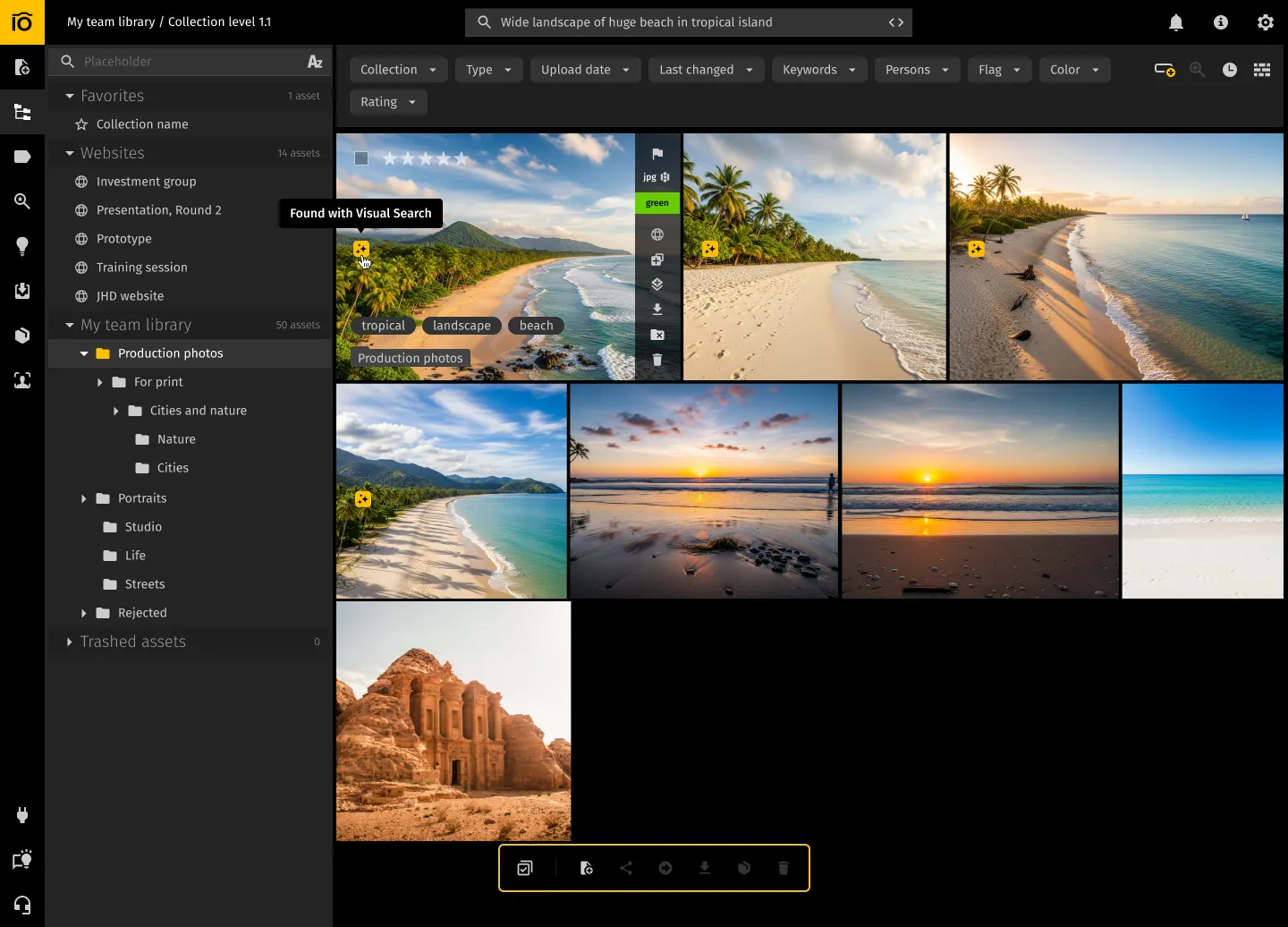
AI features can be a nice boost (tag suggestions, visual search), but they’re not a replacement for a clean metadata model and a few shared rules.
Security & Compliance: What to Ask Vendors
A solid DAM solution should include practical security features like encryption, SSO, audit logs, and access control that’s easy to manage across teams.
Instead of asking “Is it secure?”, ask questions that reveal how the product behaves in real situations: Is data encrypted in transit and at rest? Do you support SSO/SAML and 2FA? Do you provide audit logs for access and downloads? Can you restrict external sharing and revoke access instantly? Where is data stored, and do you support data residency options if required? What’s the backup and recovery approach? And if you ever leave, can you export files and metadata cleanly?
You don’t need a full security deep-dive on the first call — but you do want clear answers before you commit.
How to Implement Cloud DAM in 30 Days
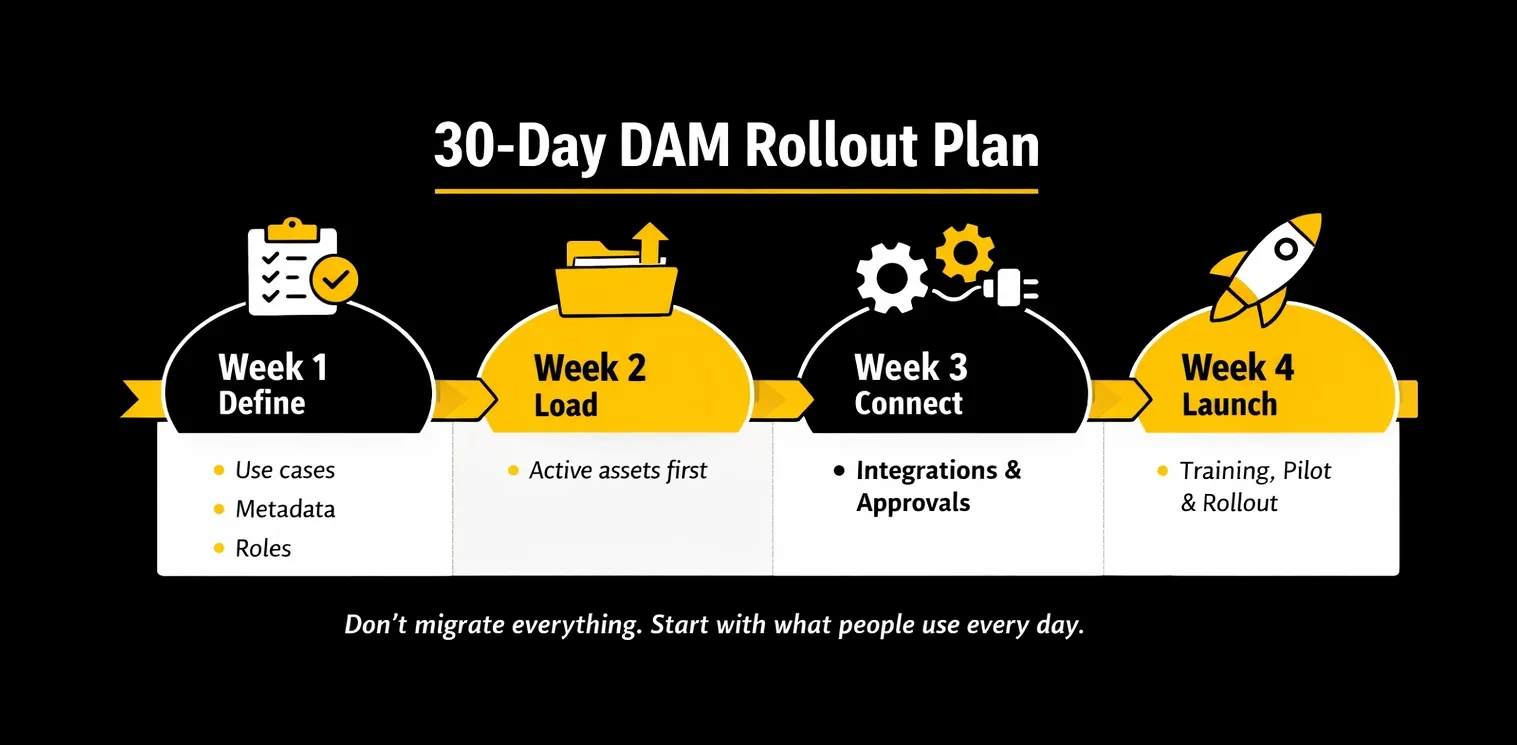
The fastest rollouts stay focused: you migrate what people actually need right now.
Pick 2–3 use cases (product images, brand kit, or campaigns). Define practical metadata. Set roles and sharing rules so internal teams and partners get the access they need without exposing everything.
Next, configure your structure and import assets. Run a full workflow: upload → tag → review → approve → share externally → update a version without breaking what’s approved. Add daily integrations, and train people by role, not generically.
After launch, improve taxonomy over time. Metadata quality is a habit, not a one-time migration task.
What to Test in a Demo
Bring a few real assets and try a real workflow. Search for something you routinely can’t find, check how “approved/current” is shown, and share an asset with an external partner (then revoke access). If those basics feel clunky in a demo, they won’t feel easier once your whole library is inside.
FAQ
Do we still need a DAM if we already have a CMS?
A CMS manages web content. A DAM manages the assets that content depends on. They’re complementary.
Can we migrate from Google Drive?
Yes. Usually, the “hard part” isn’t moving files — it’s deciding what matters, removing duplicates, and setting a metadata rule set your team will actually use.
How long does implementation take?
A usable first version can be rolled out in weeks if the scope is controlled. Deeper optimization continues as teams adopt the process.
Do we have to move everything into the DAM to use it?
Not necessarily. Many teams keep originals where they already live (for example, in Google Drive or S3) and use the DAM as the layer for metadata, approvals, and controlled sharing. The key question to ask vendors is whether they support connecting existing storage and how metadata and permissions behave in that setup.
When does Cloud DAM actually become worth it?
Usually when the problem is no longer “where is the file?” but “which version is approved and safe to use?” If you work with multiple teams or agencies, reuse assets across channels, or need controlled external sharing, DAM tends to pay off quickly — even if your library isn’t massive yet.
Conclusion
Cloud DAM keeps visuals usable: searchable, up to date, approved, and safe to share.
If your team wastes time hunting, re-creating assets, or fixing “wrong file” mistakes, the quickest win is simple: centralize active assets, add the metadata you actually need, and make “approved/current” impossible to miss.
Did you enjoy this article? Give Pics.io a try — or book a demo with us, and we'll be happy to answer any of your questions.
Author

Vladimir Mikheev is a DAM consultant and Pics.io blog contributor. Since 2019, he has advised 400+ organizations on DAM implementation and process design, run 900+ demos, and helped unify sales, marketing, and product workflows.


