

In this article, you’ll learn:
A few weeks ago, during a product demo, a potential customer asked us a simple question: "How do you compare to Tagbox?" We knew Pics.io very well, but realized we'd never done a structured review of what Tagbox actually offers or where it sits among other DAM platforms. So we went back to basics and looked at its positioning, pricing, and the types of teams it serves.
Many companies start their DAM research by googling a recognizable name like Tagbox. Very quickly, it becomes clear that one tool won't fit everyone. A five-person creative agency with a modest photo archive has very different needs from a two-hundred-person e-commerce brand with thousands of SKUs, heavy video use, and strict brand rules. Asset volume, budget, AI needs, storage model, and security requirements all shape what "the right" platform looks like.
Is Tagbox the Right DAM for You?
| Your situation | Is Tagbox a good fit? | What you mainly get with Tagbox | What to watch out for | When to consider alternatives |
|---|---|---|---|---|
| Small–mid marketing or creative team working mostly with photos and videos, library up to ~25k assets | Often a strong match | Fast AI search out of the box, simple UI, quick onboarding, unlimited users on paid plans | Asset-based limits (5k / 10k / 25k+); costs grow in blocks as the library expands | If your library starts growing quickly or workflows get more complex, compare with Pics.io, Canto, Brandfolder |
| Solo creator, freelancer, or 2–3 person studio with a few thousand files and a tight budget | Usually too heavy / expensive | Full-featured DAM with strong AI, but designed and priced for teams | Entry pricing is relatively high for very small setups | Look at Pics.io Solo or other DAM/organizers with sub-$100 plans or free tiers |
| Fast-growing e-commerce or content-heavy team producing lots of campaigns and video | Good early on, needs careful planning | Strong visual search and AI tagging, easy collaboration across a growing team | Asset caps and paid expansion packs can push monthly spend up sharply beyond 10k–25k assets | Storage-based or BYOS models like Pics.io, or developer-first tools like Cloudinary, can be more flexible at scale |
| Larger organization with strict brand governance, SSO, and multi-team workflows | Can work on Pro/Enterprise | Enterprise features: SSO, custom AI, more control, white-label options | Advanced capabilities sit behind higher tiers; expect higher pricing and a longer sales cycle | Enterprise DAMs like Bynder, Brandfolder, or Canto may offer deeper governance and regional setups |
| Team already sitting on large Google Drive / S3 libraries and not wanting a full migration | Possible, but not ideal | Once migrated, you get AI search and collaboration in one place | Requires moving assets into Tagbox storage and living within asset blocks | Pics.io’s “DAM on top of Google Drive/S3” model is often simpler if you want to keep existing storage as-is |
What Is Tagbox and Who Is It For?
Tagbox calls itself "Google Photos for Business" — a cloud-based DAM focused on visual content. It's designed for teams that work mainly with photos, videos, PDFs, and other media and have outgrown shared folders and basic cloud storage.
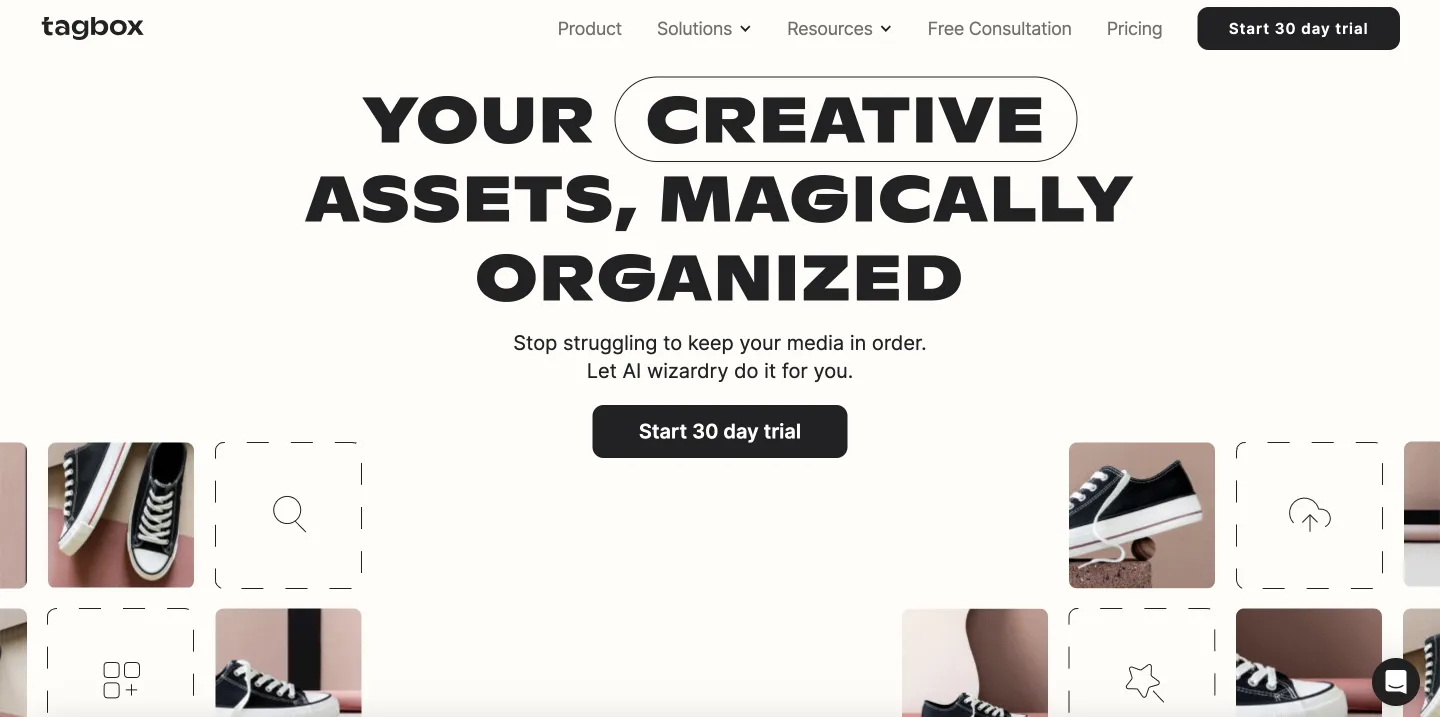
The main idea is simple: instead of manually tagging every file or building deep folder trees, Tagbox leans on AI. It supports semantic image search (you can describe what you're looking for in natural language), finds faces in photos and videos, can search by example image, reads text inside images, applies color-based filters, and generates audio and video transcripts. On higher tiers, it adds logo detection, more advanced video analysis, and trainable AI for product recognition.
In practice, Tagbox fits best for small or mid-sized marketing or creative teams that primarily work with visual assets, prefer an intuitive interface, and want AI search to start working almost immediately. If your asset library has fewer than 25,000 items, grows predictably, and doesn't require complex workflows or detailed governance, Tagbox's approach is attractive.
The product is less suitable when your world is not only the media. Suppose a big part of your work involves contracts, spreadsheets, design source files, or project documentation. In that case, you'll quickly want things like richer metadata models, approval flows, and deeper integrations with other business systems.
The same applies if your asset library is already extensive or grows quickly due to heavy video production or frequent campaigns. In that scenario, hard limits on asset counts become a real factor. Enterprise requirements such as SSO, advanced roles, or strict licensing and rights management often push teams beyond what Tagbox offers on its lower tiers.
Tagbox Pricing at a Glance
Tagbox publishes most of its pricing, which already sets it apart from many DAM vendors that hide everything behind "contact sales."
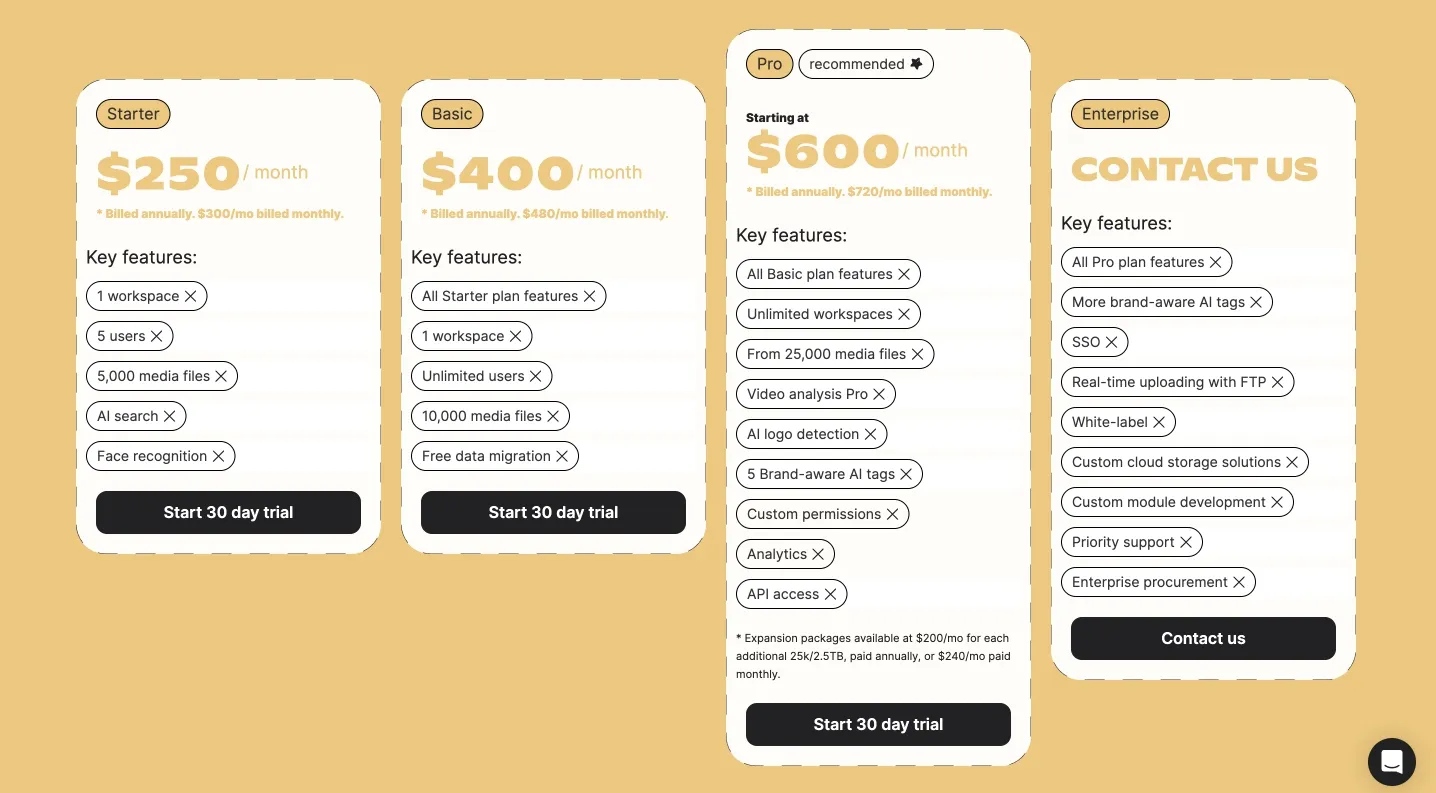
The Starter plan is aimed at small teams. It supports up to 5,000 media files, 100 GB of storage, and up to five users in a single workspace. You get AI search, tagging, collections, shareable links, and basic integrations. Exact pricing for Starter is not clearly stated on today's main pricing page; earlier materials suggested a low-cost entry level, but long-term free use does not appear to be a core part of the current model.
The Basic plan roughly doubles capacity. It supports 10,000 assets, increases storage to 1 TB, and removes user limits while still keeping everything inside one workspace. It includes migration assistance, unlimited users, and the same core AI capabilities. This tier is priced at $400 per month when billed annually, or $480 on a monthly contract.
Tagbox recommends its Pro plan as the "standard" option for serious use. Pro starts at 25,000 assets and 2.5 TB of storage, allows unlimited users and workspaces, and adds more advanced features: timeline-based video analysis, logo detection, a desktop app, deeper integrations with tools like Adobe Creative Cloud, Figma, Canva, and WordPress, more granular permissions, analytics, and API access. Capacity can be extended with expansion packages. Pro plan costs $600 per month when billed annually, or $480 per month on a monthly contract.
The Enterprise plan is entirely custom. It removes fixed limits on assets and storage, supports geo-specific or self-hosted storage options, and keeps unlimited users and workspaces. On top of Pro, you get brand-aware custom AI, SSO, real-time FTP ingest, white-labeling options, longer data retention, and priority support. Pricing is negotiated on a case-by-case basis.
Across all of these, a few points matter for planning:
- Tagbox uses asset-based limits. Once you reach the asset cap for your tier (for example, 10,000 assets on Basic), you can't keep uploading without upgrading or buying an expansion package.
- Storage growth also costs extra; additional storage costs around $250 per TB per month.
- Core AI is relatively accessible. Features like semantic search, face detection, and transcription are not reserved exclusively for Enterprise; you already get many of them at lower levels.
Where Tagbox Works Well
Tagbox's main strength is that it starts helping almost immediately. You upload your assets, and AI search, face recognition, and text extraction are already available. Teams coming from generic cloud storage often feel the difference quickly. Instead of digging through nested folders or guessing filenames, they can search in plain language or visually and actually find what they're looking for.
Another strong point is user management. From the Basic plan upward, Tagbox does not charge per seat. If your team grows or you need to invite more colleagues and reviewers, you don't have to think in terms of "adding five more paid users." For collaborative creative teams, that removes friction.
On top of that, Tagbox has strong multilingual capabilities. Search, text recognition, and transcription support many languages, making it appealing to international brands and agencies that run campaigns across multiple regions.
Where Tagbox Starts to Struggle
The first friction point appears at the low end of the market. Earlier Tagbox tiers for tiny teams or solo users were cheaper or even free, but current positioning and pricing are clearly oriented toward organizations with some budget in place. If you're a freelancer or a two-person studio managing a few thousand files and trying to keep monthly software costs modest, a starting point around a few hundred dollars per month can feel like too much.
The second friction point is growth. Because Tagbox sells capacity in blocks of assets and storage, costs scale in noticeable steps rather than gradually. A small team might happily start with Basic at $400 per month, including 10,000 assets. If they commit firmly to visual content—regular photo shoots, video production, campaign variants—it's easy to reach 30,000 or 40,000 files within a year or two.
At that point, they need Pro, plus one or more expansion packs, which together can push the monthly bill well above $1,000. The product may still be worth it, but it's not the same budget conversation as at the start.
A third limitation is access to the more specialized AI and brand features. Some of the capabilities that matter most to larger brands—logo detection, richer analytics, API access, brand-aware tagging, and custom AI models—are available only in Pro or Enterprise. If those are precisely the reasons you're exploring AI-driven DAM, you'll be planning around higher-tier pricing from day one.
Finally, while Tagbox legitimately offers more straightforward pricing than many DAM providers, the real-world cost still depends on your growth curve and requirements. Two teams with the same starting plan can end up paying very different amounts a year later, depending on how their libraries, storage, and security needs evolve. That means you need to do some forecasting rather than rely only on the initial price tag.
How to Think About Tagbox Alternatives
Before you look at a list of vendors, it helps to get aligned internally on what you actually need. Not all teams care about the same things.
Start with volume and growth. How many assets do you manage today, and what seems realistic over the next one to two years? If you expect to double or triple your library, platforms with strict asset caps will behave very differently from those that focus mainly on storage.
Next, decide which pricing model you prefer—some DAMs charge per user, per asset, per storage volume, or a mix of these. A user-based model can make sense if you have a small core team and a vast library. An asset-based model can be more logical for agencies with many collaborators but fewer files.
Be honest about your AI needs. If the main problem is "we can't find anything," then strong search, auto-tagging, and visual similarity might be enough. If you need logo tracking, advanced video analysis, or custom recognition models, you should plan around platforms and tiers that support that from the start.
Integrations are another key filter. Think about the tools your team actually lives in every day: Adobe Creative Cloud, Google Workspace, cloud storage like Amazon S3, CMS or e-commerce platforms, and project management tools. The DAM doesn't have to integrate with everything, but it should plug into the systems that matter most to your workflow.
Then consider security and governance. Some organizations can function with simple roles and password-protected links. Others are required to have SSO, granular access control, detailed audit logs, and compliance with specific standards. It has a significant impact on which tier you will need.
Finally, think through onboarding. If you have the skills and time in-house, you might be perfectly comfortable configuring the system and migrating assets yourselves. If not, check what the vendor includes in the base price and what is sold as a separate service.
Pics.io as a Tagbox Alternative
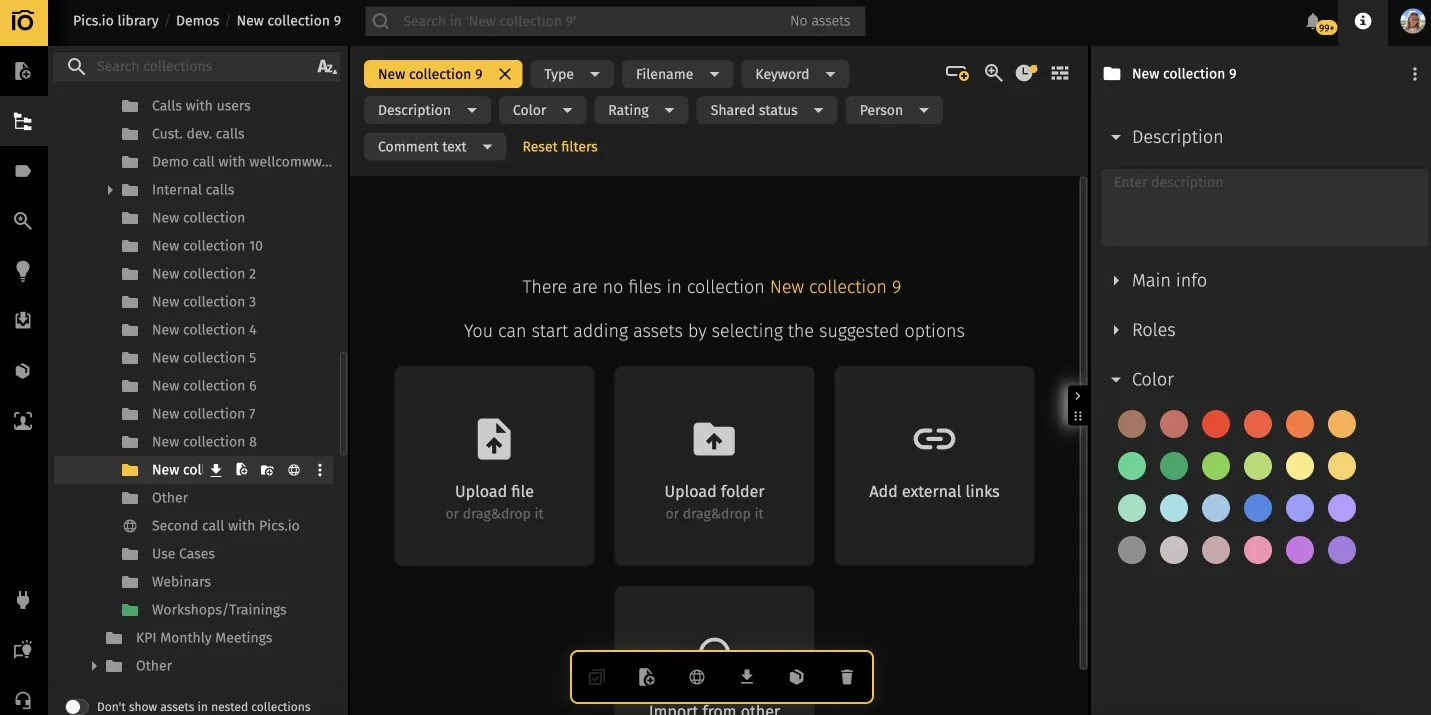
Pics.io is another DAM platform often compared with Tagbox, including on review sites like G2 and Capterra. The key difference is how Pics.io treats storage. Instead of requiring you to move all your content into its own repository, Pics.io can sit on top of your existing storage in Google Drive or Amazon S3, or work as a standalone storage + DAM solution.
Its "bring your own storage" approach is beneficial if you've already accumulated years of content in Google Drive or S3 and don't want a disruptive migration. Pics.io indexes and manages assets where they already live, adds metadata and AI features, and gives teams a single interface for search, collaboration, and sharing.
On the pricing side, Pics.io has three main tiers. Solo is aimed at individual users and starts at $100 per month. Micro targets growing teams at around $250 per month, with a lower cost on annual billing. Small is designed for established brands and starts at roughly $800 per month annually.
That means the entry point for professional DAM functionality is lower than what you typically see for Tagbox's Starter tier. Pics.io is not automatically "cheaper" in every scenario—add-ons like CDN delivery and extra storage also affect the total bill—but the first step is more accessible for freelancers and tiny teams.
In terms of features, Pics.io offers automatic keyword tagging, visual search, face recognition, flexible metadata management, and transcript-based search for video content. Collaboration is supported through internal workspaces as well as external portals and public sites for sharing curated selections with clients or partners. Permissions are configurable enough to control who can view, edit, download, or delete assets.
When will Pics.io become more attractive than Tagbox? The pattern is pretty straightforward:
- You are a solo user or a tiny team and want to start at a lower price point, closer to $100 per month, and grow from there.
- Your library is already extensive or grows quickly, especially with video and RAW photography, and you prefer storage-based pricing with flexible storage options rather than strict asset brackets.
- You rely heavily on Google Drive or Amazon S3 and would rather add a DAM layer on top than move everything into a separate storage system.
Other Tagbox Alternatives to Look At
Tagbox and Pics.io are not the only options on the market. Depending on your size and priorities, other platforms might be a better starting point.
Bynder is geared toward large, global brands with complex structures. It offers strong governance, detailed workflows, and advanced brand portals, and is often used by companies with hundreds of users and many regional teams. Pricing reflects that enterprise focus.
Brandfolder is centered on brand asset management, with a strong focus on how assets are presented and shared with stakeholders inside and outside the company. It's popular with marketing and creative teams that care deeply about brand consistency and user-friendly portals.
Canto sits somewhere in the middle. It is easier to adopt than pure enterprise systems, but it still offers more structure and depth than very lightweight tools. That makes it appealing for mid-sized teams that want a "serious" DAM without a heavy implementation project.
Cloudinary is finally built primarily for developers. Its strengths are in dynamic image and video transformation, optimization, and global delivery via CDN, all driven by APIs. Suppose your primary problem is powering a media-heavy app or site rather than managing a marketing library. In that case, Cloudinary might be the better tool—even though it's not aimed at non-technical users.
A Short Checklist for Choosing Your DAM
When you're comparing Tagbox, Pics.io, and other platforms, it helps to run through a simple checklist:
- How many assets do we manage now, and what will that number realistically look like in 12–24 months?
- Which pricing model fits us better: by user, by asset, by storage, or a mix?
- Which AI functions are essential for our work, and which are just "nice to have"?
- Which tools must the DAM integrate with to make our workflows make sense?
- What level of security, permission control, and compliance do we actually need?
- How much help do we need with migration, configuration, and training?
These answers will often narrow the field more than feature tables or marketing claims.
Final Thoughts
Tagbox is a strong DAM option for small and mid-sized teams managing visual content, especially those who want fast AI search and a simple interface. Its drawbacks mainly concern rigid asset limits and the potential for costs to increase as libraries grow.
Pics.io offers a different model: a lower entry price for individuals and small teams, storage-agnostic deployment on top of Google Drive or S3, and flexible growth for large libraries.
In practice, the "best" platform is the one that:
- Fits your workflow
- Scales with your content and team
- Stays within your budget over several years
If you're evaluating Tagbox and alternatives, you can book a short demo with our team or start a Pics.io trial to see how it works with your existing content and processes.
FAQ
Is Tagbox suitable for small teams and freelancers?
Tagbox is designed primarily for small- and mid-sized teams with established budgets rather than for solo users. If you manage just a few thousand assets and closely monitor monthly costs, you may find more suitable options among tools with lower entry-level pricing.
What happens when we hit Tagbox's asset limit?
Once you reach the asset cap for your plan, you'll need to upgrade to a higher tier or purchase an expansion package. You won't be able to keep uploading new assets without increasing your capacity.
Is Pics.io always cheaper than Tagbox?
Pics.io starts at a lower monthly price, but the total cost depends on storage needs, add-ons, and the way your library grows. The most accurate comparison comes from plugging your own asset counts, storage, and team size into both pricing models and looking at the numbers for the next one to three years.

Vladimir Mikheev is a DAM consultant and regular contributor to the Pics.io blog. Since 2019, he has helped more than 400 organizations implement digital asset management and streamline their workflows, delivering over 900 demos and aligning sales, marketing, and product teams around shared processes.


