

Published: 28 January 2021
Updated: 18 February 2026
In this article, you’ll learn:
Most creative teams lose time on the invisible stuff: hunting for creative assets, confirming what’s approved, chasing feedback from internal and external stakeholders, etc. That’s the everyday reality of creative operations: you’re trying to protect creative output while reducing administrative tasks.
That’s why another chat channel or another board rarely fixes the real issue. Project management focuses on deadlines and task lists, but the real friction often lives inside your digital assets and your entire creative workflow—where files move across Drive folders, inboxes, and “latest” links. In most creative workflows, the source of truth changes depending on who you ask.
This guide is a practical overview of creative operations tools that help creative managers and teams build a stack that scales.
Where time leaks in creative workflows: 5 common holes
If your current creative workflow relies on multiple links and multiple tools with no clear system, these are the most common places where teams identify bottlenecks—and where creative ops can unlock faster creative execution and stronger brand quality.
1) “Where is the latest approved version?”
This is the classic one: multiple exports, local edits, last-minute tweaks, and suddenly nobody is sure which file is safe to use—teams waste time comparing timestamps, asking in Slack, and re-downloading “final” files that aren’t final anymore.
What it costs: rework, mistakes in live campaigns, and slower launches.
2) Reviews and approvals that live in scattered threads
Feedback shows up everywhere: comments in a doc, notes in Slack, a Loom message, a screenshot with arrows, and a last-minute email. The context is real—but it isn’t attached to the asset, so it gets lost, repeated, or misapplied.
What it costs: back-and-forth, missed changes, approvals that can’t be traced.
3) Manual tagging and metadata that doesn’t scale
Tagging sounds simple—until you rely on it to make search work. Under pressure, people skip it. Alternatively, they may inconsistently tag using variations such as "PDP," "product page," and "packshot." If your system depends on perfect behavior, adoption drops fast.
What it costs: "We already have this somewhere” becomes "Let's remake it.”
4) External collaboration without guardrails
Agencies, freelancers, partners, and local teams—they all need files. Without a clean way to share only what’s approved (and nothing else), you get link chaos, duplicated folders, expiring shares, and “oops, that was the draft” moments.
What it costs: brand risk, extra coordination, lots of manual hand-holding.
5) Rights and usage context are getting separated from the file
Usage terms, expiration dates, required credits, territory limits, model releases—the info exists, but often in a spreadsheet or someone’s memory. When assets travel, that context doesn’t. That’s how teams end up pausing campaigns or pulling content down later.
What it costs: compliance risk, last-minute scrambles, blocked launches.
The Efficiency Stack: the tools that make content work move faster
Think of your setup as a creative operations solutions stack: not a pile of apps, but a few layers that remove specific friction from the project workflow. Good workflow management connects tasks, files, approvals, and context—so your creative force spends less time on coordination and more time on output.
Here’s a simple stack that works for most marketing and creative teams:
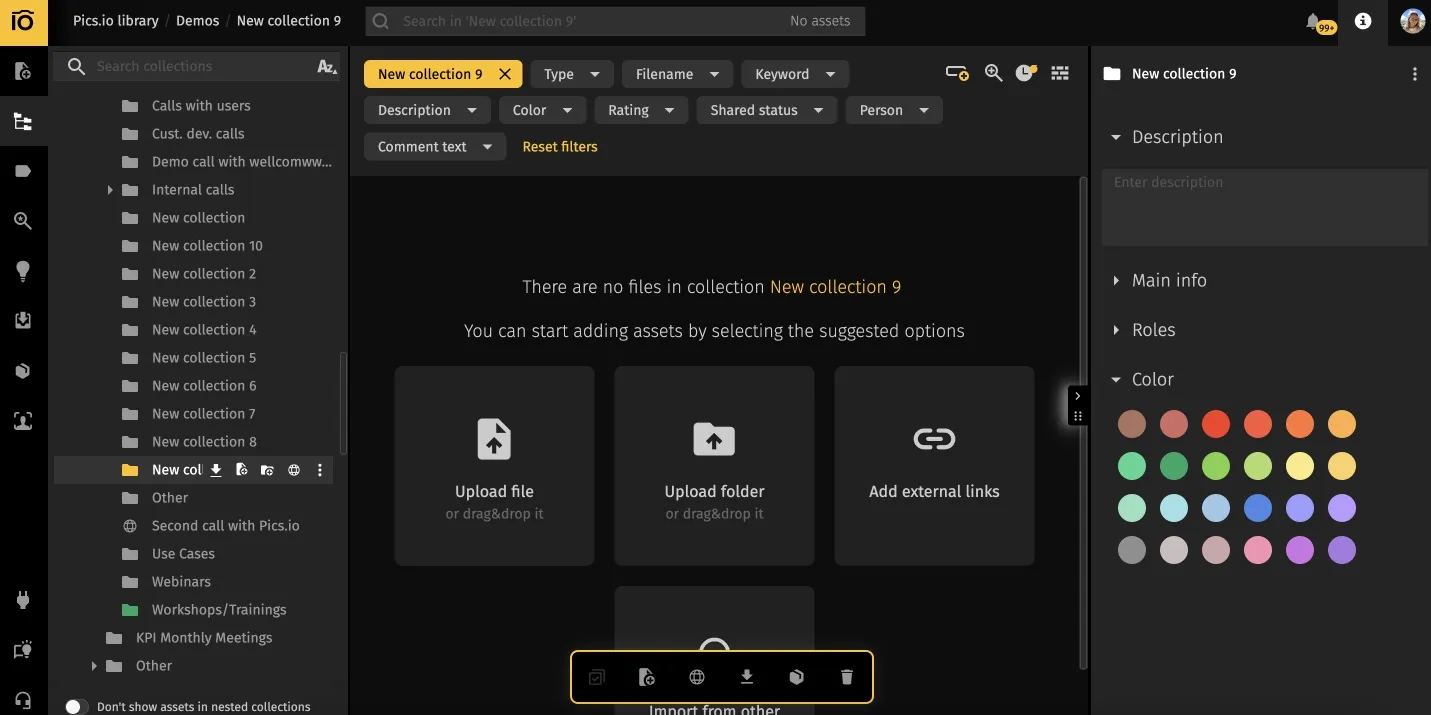
1) DAM (your content source of truth)
What it fixes: finding assets fast, knowing what’s approved, keeping versions and context attached, and sharing safely with external partners.
This is the layer that stops the daily “where is the latest?” cycle. It also reduces the need for painful manual tagging—because structure, workflows, and context do much of the heavy lifting, and people add only the minimum metadata that actually matters.
Examples: Pics.io (core hub), plus portals/collections for partners, roles/permissions, version history, and rights/usage context.
2) Project management (work coordination)
What it fixes: who’s doing what, when it’s due, and what’s blocked.
PM tools keep work moving, but they usually don’t solve asset chaos on their own. They’re strongest when tasks link to a “single source of truth” for the files.
Examples: Asana, Monday.com, Wrike, and ClickUp.
3) Review & approvals (feedback that doesn’t get lost)
What it fixes: messy review loops, conflicting comments, “approved… where?”
The best review process keeps feedback close to the asset and makes approval status obvious. Otherwise, you get screenshot-markup ping-pong and duplicated edits.
Examples: built-in approvals in your DAM, Frame.io (for video), Figma comments (for design), and Adobe review flows (where relevant).
4) Communication (fast decisions)
What it fixes: quick alignment and unblock moments.
Use chat for decisions—not as your long-term asset storage or approval log. If the only way to find context is searching old threads, the system will break under pressure.
Examples: Slack, Microsoft Teams.
5) Knowledge base & templates (repeatable process)
What it fixes: reinventing the wheel, inconsistent execution, and onboarding pain.
This is where your team keeps "how we name things,” campaign checklists, creative brief templates, rights guidelines, and partner rules.
Examples: Notion, Confluence, Google Docs.
6) Analytics tools (performance insights and reuse)
What it fixes: creating content without learning from results.
Even lightweight data analytics helps teams make data driven decisions: tag assets by campaign/channel, capture performance insights, and make top-performing content easy to find and reuse across digital content and social media campaigns.
Examples: GA4, Looker Studio, HubSpot, plus simple UTM conventions.
Optional: automation glue
What it fixes: manual handoffs and repeated admin work.
Use AI tools and automated workflows to cut repetitive tasks: auto-create collections, apply presets, request approvals, notify channels, and reduce manual handoffs. Automation improves resource utilization and keeps teams moving without adding process overhead. To scale these capabilities further, many organizations leverage generative AI development services to build custom solutions for automated content creation and metadata management.
Examples: Zapier, Make, Slack workflows.
Why DAM is the multiplier
Most teams try to boost efficiency by upgrading the top layers of the stack: a better PM board, cleaner standups, fewer meetings, and a new chat channel. That helps—but only up to a point. If your content layer is still messy, your team keeps paying the same “content tax” every week: searching, re-downloading, re-sending, re-explaining, and rebuilding.
For creative operations managers, this is the core shift: a DAM isn’t “another management tool.” It’s the layer that protects creative output, reduces coordination overhead, and keeps creative work moving through review, approvals, distribution, and reuse—without breaking under real deadlines.
A DAM works like a multiplier because it doesn’t just “store files.” It turns assets into reusable work objects with context attached—so the same asset can move through production, review, approval, distribution, and reuse without getting lost or duplicated.
Here’s what those changes mean in practice:
1) You stop wasting time verifying what’s "approved."
Instead of asking "Is this the final one?” in Slack, you can easily identify the approved version—status, comments, and version history are all associated with the asset. That saves time and prevents expensive mistakes (like shipping drafts or outdated logos).
2) You reduce rework caused by version chaos.
Without version control, teams create parallel universes: local edits, duplicated folders, “final_final_v10,” and last-minute changes that never make it back into the shared library. A DAM keeps a clean chain of versions and makes the latest state easy to trust.
3) External sharing becomes safer and easier.
Agencies and partners shouldn’t need access to your entire drive. With a DAM, you can share the right set of assets (and only those assets) with clear permissions, expiration, and structure—without manual hand-holding.
4) Rights and usage context: stop living in someone’s head
Licenses, territory limits, expiration dates, required credits—they matter most when you’re under pressure. A DAM keeps that context next to the asset, so the team can move faster and avoid risk.
5) Manual tagging stops being your only strategy.
Manual tagging shouldn’t be the only strategy. In real creative production, teams upload fast, stakeholders change priorities, and project progress depends on speed. The goal is metadata that doesn’t hurt the creative process:
- keep a minimum required set (3–5 fields that truly matter),
- use structure (collections, campaign templates, portals) to attach context,
- rely on bulk edits and presets for consistency,
- and ask humans only for what the system can’t infer.
That’s how creative asset management supports the entire creative workflow without turning your team into full-time admins.
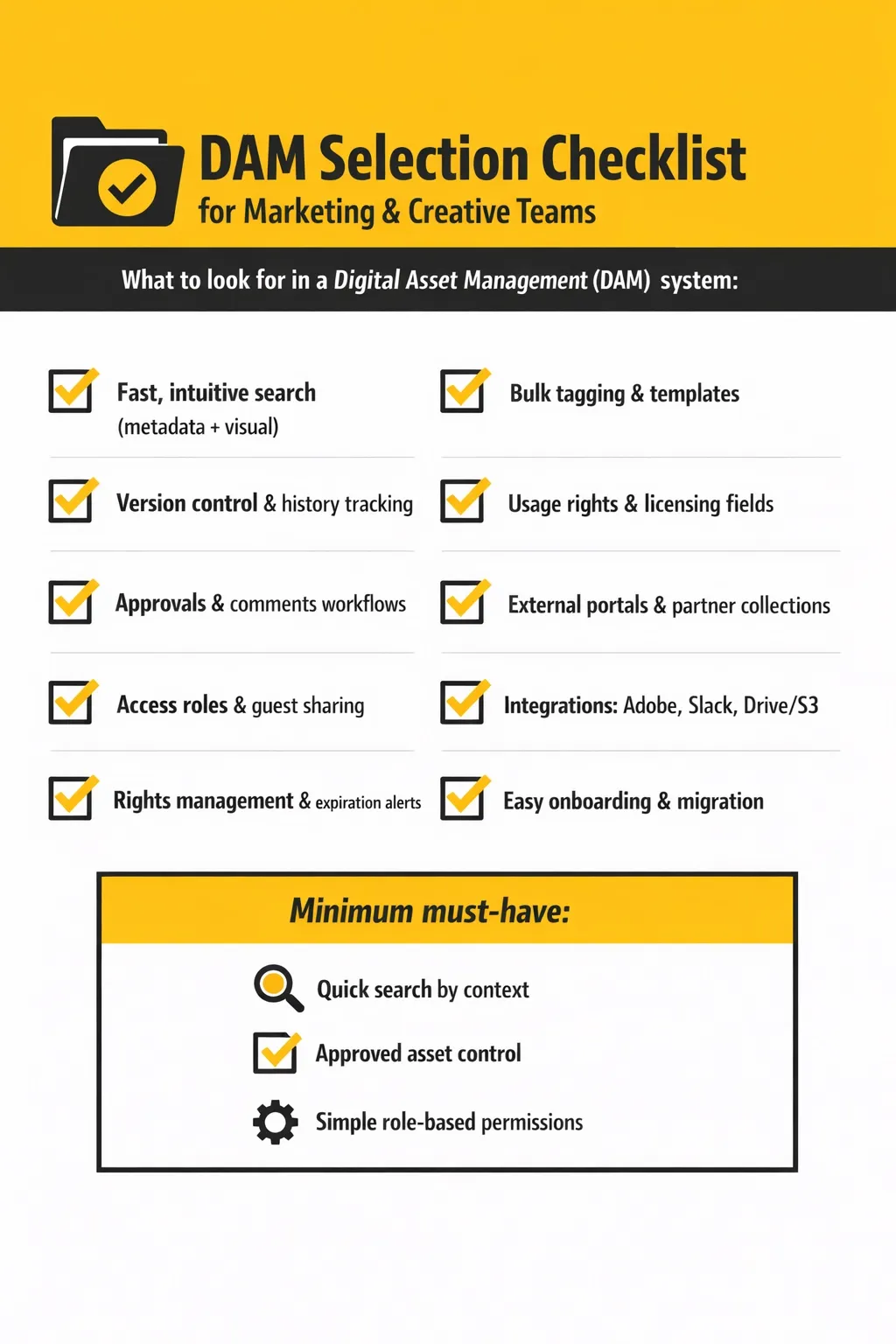
DAM selection checklist
Here is a short checklist that will help you find the best option for your workflow.
Common mistakes: why tools don’t improve efficiency
Even a strong stack can fail if the workflow isn’t designed for real life (deadlines, agencies, messy inputs). These are the most common reasons teams don’t see results:
1) They optimize meetings and boards but ignore the content layer.
Teams adopt a new PM tool, clean up standups, and add more status updates—but assets still live across Drive folders, inboxes, and chat threads. Work stays slow because people still spend time finding, verifying, and re-sending files.
Work stays slow because teams can’t trust where design files live or which assets are approved in one centralized location.
2) They treat chat as a system of record.
Slack is great for quick decisions. It’s terrible for being your asset library, approval log, and “where the latest file lives.” If the only way to recover context is searching old threads, the workflow will break under pressure.
3) They rely on “perfect manual tagging."
This is the adoption killer: teams try to make search work by forcing everyone to tag everything. It sounds reasonable… until deadlines hit. People skip tags, use inconsistent labels, or stop tagging altogether.
Better approach: keep a minimum set of required fields (3–5), use presets, and let the structure and workflow do the heavy lifting.
4) No clear owner for the library
When “everyone” owns an asset organization, nobody owns it. Libraries need a lightweight governance model: who defines the schema, who approves new fields, who cleans up duplicates, and who maintains “approved” collections.
Ownership enables better resource management and resource allocation, especially across multiple departments and markets.
5) They don’t set rules for external partners.
Agencies and freelancers are often the biggest source of asset chaos. Without clear intake rules (where to upload, what’s required, how approvals work), teams spend hours doing manual sorting and re-explaining.
6) They try to build a perfect taxonomy on day one.
Over-engineering is a slow way to lose adoption. Massive schemas and complex folder trees create friction and confusion. Start simple, prove value, then expand.
7) They don’t measure impact.
If you can’t point to “time saved” or “fewer mistakes,” the process won’t stick. Even basic tracking helps: time-to-find, number of duplicate assets, approval cycle time, and number of “where is the latest?” pings.
Track “time-to-find,” duplicate rate, approval cycle time, and requests to “resend the file” to quantify reduced administrative tasks and improved team output.
Conclusion
As soon as a team grows, the same issues start repeating: someone grabs an old logo, an agency uses a draft packshot, a “final” file turns out to be two versions behind, and people spend half an hour digging through links to confirm what’s approved. That’s not a motivation problem — it’s what happens when your workflow relies on folders, chat threads, and everyone remembering to tag things.
A more stable setup is simple: keep approved assets in one place (your DAM), keep tasks and timelines in your PM tool, and run reviews in a way that keeps comments and approvals attached to the file. For metadata, don’t aim for perfection. Pick a small set of fields your team actually uses (campaign, channel, region, usage rights), make them preset-based, and handle the rest with structure and bulk edits instead of asking people to tag every upload.
If you want to see how creative operations looks in a real library, book a Pics.io demo. We’ll show a setup that keeps creative assets in one centralized location, supports version control, streamlines review and approval, and improves collaboration across internal and external stakeholders—so your marketing teams and creative teams can scale output without chaos.
FAQ
Do we need a DAM if we already use Google Drive or Dropbox?
Google Drive is storage. Digital asset management is asset management and workflow context: approvals, permissions, brand consistency, and a reliable review and approval process.
What if nobody tags anything—will a DAM still help?
Yes. Good DAM systems improve workflow management through structure, permissions, versions, and minimal metadata—without relying on perfect behavior.
Who should own the library?
Typically creative operations managers (or a small owner group) define rules, templates, and governance so the entire team stays on the same page.
How do we work with agencies and freelancers without losing control?
Use role-based access and partner-specific collections/portals. Give external teams a clear intake path, required minimum metadata, and a review/approval step before assets enter the “approved” library.
What’s the fastest workflow to improve first?
Pick one high-volume stream, like paid social or product imagery:
- one intake path
- one approval flow
- one “approved” destination
- minimum metadata fields
That single change usually cuts the most repeated work.
Did you enjoy this article? Give Pics.io a try — or book a demo with us, and we'll be happy to answer any of your questions.
Author

Maks Petrenko is an Operations Manager (PhD in Management) focused on workflow optimization, performance tracking, and data-driven process improvement. He’s led cross-functional teams of 20+ and implemented KPI systems across Support, Marketing, R&D, and Sales—reducing returns from 26% to 10%, increasing activation from 8% to 13%, and quadrupling MQLs in six months.


